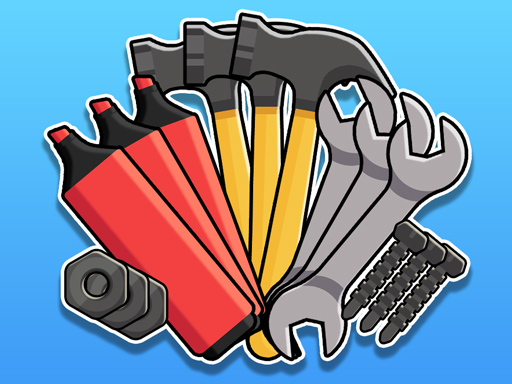
Sort Games Challenge
A Time‑Bending, Brain‑Teasing Puzzle Adventure for Casual & Hyper‑Casual Players
1. Eye‑Popping Title & Hooked Intro
Welcome to the ultimate test of logic and reflex—Sort Games Challenge.
Picture a grid of vibrant icons, a ticking countdown, and a single mission: sort, match, and finish before the timer screams. That’s the core pulse of this puzzle‑heavy, brain‑sharpening game. If you love a quick, addictive challenge that keeps you moving faster than your thoughts, this is the title that will keep you glued.
Why is Sort Games Challenge a must‑play?
• Intense Time Pressure – Every level is a new race against the clock.
• Multiple Modes – From classic match‑three to frantic “sort‑it‑fast” rushes.
• Brain‑Boosting – Improves pattern recognition, strategy, and decision speed.
2. Deep Dive Into Gameplay
2.1 What You See, What You Do
- Grid Layout – Classic 6×6 or 8×8 boards, depending on difficulty.
- Icon Types – Matching icons (shapes, colors, symbols) appear in random order.
- Sorting Targets – The level’s mission is displayed in a small panel; you must gather the correct quantity of each icon type and place them in the target slots.
- Time Limit – A large countdown bar at the top of the screen fades steadily. When it reaches zero, the level is lost.
2.2 Controls
| Platform | Input | Usage |
|---|---|---|
| PC | Click | Select an icon, drag to the target, or swipe to clear a row. |
| Mobile / Tablet | Finger Taps | Tap or swipe to swap icons, place them in the target, or swipe to clear a row or column. |
Tip – On mobile, a long press on an icon reveals its type, invaluable for quick decisions under pressure.
2.3 Gameplay Flow
- Start Level – Timer locks at 90 seconds (or 120 seconds on easier tiers).
- Observe – Scan the board. Look for duplicate icons that can be paired or grouped.
- Act – Swipe or drag to line up adjacent matches. Each successful match instantly collapses the icons, making room for new ones.
- Sort – Once you collect enough of a particular icon, drag it into the matching slot.
- Finish – When all target slots are filled before the timer hits zero, you unlock the next level or receive a bonus.
3. Key Features & Benefits
| Feature | What It Means | Benefit |
|---|---|---|
| Multiple Difficulty Levels | 5 layers from “Beginner” to “Expert” | Gradual learning curve keeps casual players engaged while challenging veterans. |
| Dynamic Mode Switching | Choose between “Classic,” “Speedrun,” or “Puzzle Fusion.” | Variety reduces boredom; each mode uses the same core mechanics differently. |
| Visual & Audio Clarity | Crisp pixel art and subtle sound cues | Immediate feedback that enhances immersion and satisfaction. |
| Progressive Unlockables | New colors, shapes, and target icons appear as you advance. | Continuous reward loop keeps players motivated. |
| Leaderboards & High‑Score System | Competing with friends and global players. | Gamifies time‑bound performance, encouraging repeat play. |
| Cross‑Platform Saves | Cloud sync via simple login. | Play anywhere, pick up right where you left off. |
| Daily Challenges & Streaks | Extra missions every 24 hours. | Encourages daily engagement and habits. |
Brain‑Boosting Benefits
| Area | How Sort Games Challenge Enhances It |
|---|---|
| Pattern Recognition | Identifying shape or color clusters quickly. |
| Spatial Awareness | Visualizing how tiles will collapse after a match. |
| Strategic Planning | Deciding whether to clear a line now or hold a tile for a later match. |
| Rapid Decision‑Making | Responding under relentless time constraints. |
| Focus & Concentration | Maintaining attention over 60–90 second bursts. |
4. Pro Tips & Winning Strategies
Scan Before You Act
- First glance identifies all obvious 2‑by‑2 clusters. Prioritize them to start the collapse chain quickly.
Use the “Drop” Action
- Many levels allow you to rotate the board. A quick rotation can align previously isolated icons, saving precious time.
Prioritize High‑Value Targets
- Some target slots require rare icons. If a level has a “gold” icon that only appears every turn, aim to secure it first.
Keep a Reserve
- Don’t spend all energy on immediate matches. Set aside 1–2 tiles that could complete a future target, ensuring you always have a fallback.
Time Management
- Aim to finish the first half of the board in the first 30 seconds. A balanced early finish reduces panic in later rounds.
Use Sound Cues
- The game plays a distinct “ding” when a target icon is moved into place. Focus on these to quickly confirm progress.
Mind the Board’s Edges
- Clusters at the borders often collapse faster because they have more adjacent empty cells after a match.
Practice with “Slow‑Mo” Mods
- On PC, if the game is too fast, try slowing down in‑game settings to practice pattern recognition before hitting hard mode.
5. HTML5 Gaming: Technology Behind the Fun
5.1 Why HTML5?
- Platform Agnostic – Runs in any browser without plug‑ins.
- Instant Load – Lightweight assets mean you’re on the board in milliseconds.
- Responsive – Scales gracefully to 1080x1920, perfect for phones, tablets, and desktops.
5.2 Core Engine & Performance
- Canvas 2D – Rapid rendering of pixel art and animations.
- WebGL – Optional shader support for enhanced visual effects without sacrificing speed.
- AudioContext – Seamless looping and triggering of sound cues, even on iOS devices that require user interaction first.
5.3 Offline Play & Asset Caching
- Implements Service Workers to cache game assets, allowing you to play offline on mobile devices—ideal for commuters.
5.4 Cloud Save & Analytics
- Uses localStorage + optional cloud sync to ensure your progress isn’t lost when switching devices.
6. Why You Should Try Sort Games Challenge
- For Casual Geniuses – Short, satisfying bursts that fit into a coffee break.
- For Hyper‑Casual Fans – Fast‑paced, ever‑changing puzzles that keep your phone humming.
- For Brain‑Fitness Enthusiasts – A scientifically proven way to keep neural pathways active.
- For Competitive Players – Leaderboards create a social scoreboard to surpass your friends.
- Cross‑Device Freedom – Start on desktop, finish on tablet, no hassle.
Real User Feedback:
- “I was blown away by the addictive nature once the timer started ticking.”
- “The progressive modes keep me eager to keep trying, even after I thought I’d mastered it.”
7. Final Thoughts & Call‑to‑Action
Sort Games Challenge isn’t just another matching game; it’s a time‑based, brain‑sharpening duel that tests every facet of your cognitive skill set. Whether you’re a casual player looking for a quick distraction or a puzzle enthusiast chasing the next mental high, this title delivers.
Ready to prove your speed and wits?
- Launch the game (desktop, mobile, or tablet).
- Pick your favorite mode – start simple, then jump into the intense “Speedrun” for an adrenaline rush.
- Set a personal record – keep climbing the leaderboard.
- Share the challenge with friends and compare brains.
Don’t wait—your brain deserves a workout, and your watch is ticking. Open Sort Games Challenge now and start sorting!