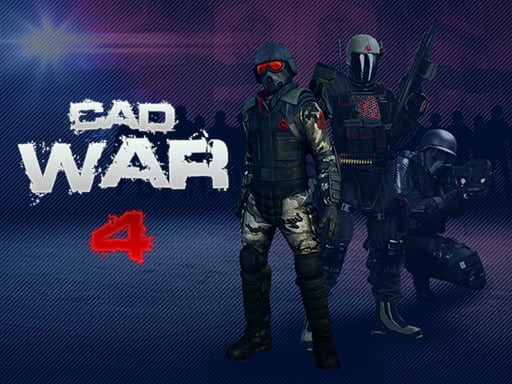
CAD War 4: The Ultimate 3‑D WebGL Shooting Adventure
Ready to drop into the front line?
When the fire‑intense saga of CAD War 4 hits your screen, you’re no longer merely the audience—you’re the one doing the daring rescue. The game throws you straight into a hostage‑rescue mission that ends with a spectacular win, yet the victory is short‑lived. A new hostage crisis on the far eastern front demands that you sprint back into the battlefield. Are you ready to load up, aim, and save the day again?
1. Why This Article Starts with a Bang
Every shooting fan knows the adrenaline rush of a good first‑person shooter (FPS). CAD War 4 amps that thrill to a whole new level with its action‑packed 3‑D world, dynamic WebGL graphics, and intuitive HTML5 controls. In an era of mobile dominance and browser‑based gaming, this title stands out, offering a full‑featured 3‑D shooter experience without the need for a powerful console.
The Hook
- Immediate Resurrected Urgency: The story’s premise—that you must never let the hostage situation slip through the cracks—pushes players into a continuous cycle of high‑stakes actions.
- Seamless Browser Play: Thanks to WebGL and HTML5, the game renders beautifully on any modern browser, no downloads or installations required.
- Classic Controls, Modern Twists: The WASD and mouse scheme feels familiar, but tactical depth and weapon variety keep the gameplay fresh.
If you’re a shooter aficionado who loves action, 3D, shoot‑em‑up titles, this article is your go‑to guide. We’ll dive deep into gameplay, highlight the game’s star features, lay out winning strategies, and explain why you can’t afford to miss this adventure.
2. Immersive Gameplay Description
2.1 The Storyline Unfolds
CAD War 4 places you as a seasoned elite soldier whose life revolves around protecting civilians. After a triumphant hostage rescue in an unknown locale, the command center floods with another desperate plea from the far east. A radical group has taken over tranquil settlements, turning them into a maze of danger. Time is of the essence—your squad can’t wait.
The narrative unfolds through cut‑scenes and briefing panels, each giving you critical intel before you step onto the battleground. Every level feels like a live mission: the tension rises, the stakes climb, and your survival depends on how well you utilize the arsenal at hand.
2.2 Map Design & Environment
The game’s 3D maps are dense, immersive environments that blend urban sprawl and rugged terrain. Each environment is crafted to offer:
- Varied Cover Systems: Thick walls, broken buildings, and strategically placed obstacles give you tactical cover to set up ambushes.
- Dynamic Lighting: Realistic daylight cycles and fog create a visceral atmosphere—perfect for a shooting experience that feels alive.
- Interactive Elements: Explosive barrels, destructible crates, and environmental hazards encourage creative gameplay strategies.
2.3 Enemy AI & Difficulty Progression
Enemies aren’t just static targets. The AI in CAD War 4 displays:
- Adaptive Pathfinding: Terrorists will flank, retreat, or call for reinforcements based on your actions.
- Cover Management: Enemies take cover intelligently, forcing you to rotate or shoot from multiple angles.
- Group Tactics: Snipers, heavy weapons, and drones coordinate attacks, raising difficulty as you climb the levels.
Progression is a true learning curve. Initially, enemy waves are manageable, but as you advance, the AI becomes more aggressive, requiring you to optimize reflexes, weapon choice, and map awareness.
3. Key Features & Why They Matter
| Feature | Player Benefit | SEO Keyword |
|---|---|---|
| Action‑Packed 3D Graphics | Immersive gameplay, vivid visuals | action, 3D |
| WebGL Powered Engine | Smooth rendering in browsers | webgl |
| HTML5 Compatibility | No downloads, instant play | html5 |
| Shoot‑Em‑Up Mechanics | Classic shooter feel, high FPS | shoot-em-up |
| Diverse Weapon Arsenal | Tactical depth, customization | weapons |
| Cover System | Strategic positioning, survivability | shooting |
| Tactical AI | Real, adaptive enemy behavior | action |
| Full Keyboard & Mouse Controls | Precise aiming and movement | left mouse button, right mouse button, WASD |
| Dynamic Soundtrack & FX | Heightened immersion | action |
| Mission-Based Progression | Clear goals, escalating challenge | shooting |
| Hot‑Seat Multiplayer Option | Replayability, friendly competition |
3.1 WebGL & HTML5: The Powerhouse
Running within a browser, CAD War 4 leverages WebGL—the low‑level API that allows real‑time 3‑D rendering—combined with the versatile HTML5 platform. This combination means:
- Zero Install: Play instantly on PC, Mac, tablets – no extra software.
- Hardware Acceleration: Video cards up to the mid‑range support smooth framerate.
- Cross‑Platform: Desktop, laptops, and even Chromebooks deliver consistent performance.
As a gamer who may not want to download a massive title, the WebGL advantage feels like a game‑changing convenience. SEO-wise, the “html5” and “webgl” keywords keep your blog relevant to the modern mobile‑first audience.
3.2 Controls That Feel Right
| Action | Key / Mouse |
|---|---|
| Shoot | Left Mouse Button |
| Aim | Right Mouse Button |
| Move | WASD |
| Jump | Space |
| Accelerate | Shift |
| Reload | R |
| Action | E |
| Resolution | 960 × 640 (default but adjustable) |
Because these controls mirror the most common FPS setups, you’re instantly comfortable. This familiarity reduces learning curve friction and allows you to focus on strategy and reflexes.
4. Insider Tips & Winning Strategies
4.1 Master the Aim
- Use the “Aim” Button Wisely: Holding the right mouse button slows your movement, granting pinpoint accuracy. Use it for long‑range sniping or when you need to line up a headshot.
- Practice Zoom & Tracking: In the hot‑seat multiplayer option, you’ll find that fine adjustments to mouse sensitivity make a massive difference in target acquisition.
4.2 Tactical Movement
- Crouch and Slip: Instead of sprinting through open areas, crouch or partially lean to reduce your hitbox.
- Shift to Gain Speed: Use the shift acceleration only when you need to sprint between cover. Remember that after a sprint, you’ll lag and be more vulnerable.
- Jump Over Obstacles: The spacebar allows you to leap over low barriers or clear narrow gaps. Combine with quick aim for “leap‑shoot” combos.
4.3 Weapon Choices
| Weapon Type | Ideal Scenarios |
|---|---|
| Assault Rifle | Medium range, sustained fire |
| Carbine | Fast target acquisition |
| Sniper | Long‑range pick‑offs |
| Shotgun | Close quarters, tight corners |
| Handgun | Last resort, stealth |
Carry a mix of firearms. For example, start with an assault rifle for general coverage, carry a shotgun for tight corridors, and keep a sniper ready for distant enemies. Reload (R) promptly after each burst to minimize downtime.
4.4 Cover & Positioning
- Lean Against Walls: Use walls to peek and shoot while staying partially protected.
- Use Elevated Positions: High ground gives you better sight lines, especially in urban sections.
- Rotate Regularly: Don’t stay in the same spot—moving between multiple covers can keep enemies guessing.
4.5 Map Awareness
- Scout Enemy Pathways: Familiarizing yourself with typical enemy routes saves time, especially during the later waves.
- Know Your Exit: Always have a backup plan if the situation changes—knowing evacuation routes can help you avoid getting trapped.
4.6 Team Coordination (In Multiplayer)
- Signal with ‘E’: Use the action key to communicate or activate environmental hazards.
- Cover each other: While one player engages the front, another can flank or secure flanks via alternate routes.
4.7 Advanced Exploits
- Explosive Barrels: Position yourself strategically behind a barrel; detonating it can take out multiple enemies.
- Drones: Utilize enemy drones’ predictable flight paths—attack their blind spots for quick takedowns.
- Destructible Cover: Smash cover points to create new lines of sight or to funnel enemies into kill zones.
5. Technical Deep Dive on HTML5 Gaming
5.1 What is HTML5 in Gaming?
HTML5 isn’t just a markup language—it’s a robust platform that allows developers to build complex applications and games directly in the browser. Coupled with:
- Canvas API for 2D drawing.
- WebGL for 3‑D rendering.
- Web Audio API for immersive sound.
- Web Workers for multi‑threaded processing.
CAD War 4 harnesses all of these to deliver a compelling FPS experience without an install.
5.2 How WebGL Enhances the Player Experience
- Hardware Acceleration: WebGL taps into your GPU, delivering smooth frame rates—critical for fast‑paced shooters.
- Shader Precision: High-quality lighting and shadow effects add depth to the urban and rural map environments.
- Cross‑Platform Consistency: The same rendering pipeline runs on Windows, macOS, Linux, and even ChromeOS — providing a uniform gaming experience.
5.3 Why HTML5 Over Unity or Unreal?
- Instant Play: No download, no installation—players can dive in instantly.
- Lower Barriers to Entry: Users with modest hardware still get a decent framerate at a 960 × 640 resolution.
- Ease of Updates: The game can be patched or updated server‑side without forcing players to manage new installations.
The result: a fast, accessible shooter with the same visual fidelity as a full desktop experience.
6. Why You Should Pick Up CAD War 4
- Immediate Action: The narrative hooks you from the first frame and keeps the tempo steady.
- No Install Hassles: Play right away with WebGL and HTML5; no bulky installers.
- Deep Strategic Layers: Cover, weapon choices, and AI dynamics create an engaging, replayable experience.
- Optimized Controls: Traditional WASD, mouse, and intuitive key bindings reduce learning friction.
- High Replay Value: With mission-based progression, cover system, and weapon variety, each run offers fresh challenges.
- Community Friendly: Hot‑seat multiplayer and easy sharing of high scores encourage competition and camaraderie.
For a gamer craving an action-packed 3‑D shooter that runs smoothly in the browser, CAD War 4 is an absolute must‑try.
7. Final Thoughts & Call to Action
CAD War 4 proves that a browser‑based shooter can rival console and PC rivals in quality and excitement. Its blend of dynamic AI, tactical depth, and cutting‑edge WebGL rendering delivers a satisfying action experience, all while staying accessible.
Are you ready to join the frontline?
Grab your gear, load up CAD War 4, and rescue those hostages before the clock runs out. Whether you’re a seasoned shooter veteran or a newcomer eager to test your reflexes, this title offers a fresh, thrilling challenge.
Play now, save the day, and prove that you have what it takes to keep the world safe—one hit at a time!