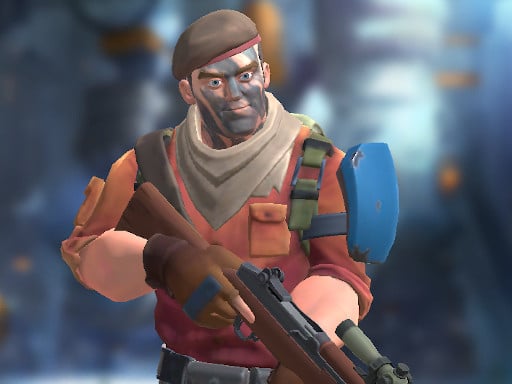
CobraZ.io: The Ultimate Browser‑Based FPS Experience
First‑person shooters in the browser have come a long way. But few games capture the raw adrenaline, strategic depth, and social heat that CobraZ.io brings to your screen.
Dive in, gear up, and dominate.
Table of Contents
- Introduction
- Gameplay Deep‑Dive
- Key Features & Benefits
- Pro Tips & Winning Strategies
- HTML5 Power Behind the Game
- Why You Can’t Miss Out on CobraZ.io® (no external links, just pure hype)
- Conclusion & Next Steps
Introduction
The word “browser game” often evokes images of flashy flash titles or slow‑loading canvas experiences. CobraZ.io flips that narrative on its head. Imagine the heart‑pounding action of a top‑tier first‑person shooter mixed with the instant deployment of an io‑style online multiplayer game—no downloads, no installations, just pure, responsive combat that runs smoothly on any modern web browser.
CobraZ.io stands out in a saturated market for shooting games by providing:
- Intuitive controls that feel like a native FPS.
- Customizable loadouts that let you become a soldier truly your own.
- Four dynamic modes to keep the grind fresh.
- Seamless multiplayer matchmaking that scales with the number of players.
If you’re passionate about shooting, multiplayer strategy, or simply love a good game that runs in your browser window, you’re in the right place.
Gameplay Deep‑Dive
Core Mechanics
At its heart, CobraZ.io is a fast‑paced first‑person shooter that rewards quick reflexes and tactical positioning. The core gameplay loop is simple yet compelling:
- Customize your soldier with gear that matches your playstyle.
- Enter the fray: engage enemies, dodge incoming fire, and master your weapon.
- Survive and outplay your opponents—whether solo or teamed up.
- Re‑enter for an endless cycle of combat, loot, and prestige.
This cycle ensures that every match feels fresh, and every playthrough offers a chance to outsmart your competitors.
Four Game Modes
| Mode | Description | What You’ll Master |
|---|---|---|
| Team Deathmatch | Two or more squads compete for the highest kill count. | Coordination, objective control, and strategic squad formations. |
| Free For All | Every player is on their own. No allies, no enemies—only sheer skill. | Quick thinking, sniping accuracy, and route planning. |
| Capture The Flag | Each team must capture the rival flag and return it safely to their base. | Map awareness, defensive tactics, and teamwork. |
| Custom Lobby | Create private matches with personalized rules. | Community building and experimenting with unique gameplay variations. |
The blend of modes keeps the game from becoming repetitive, giving players both cooperative and competitive avenues to explore.
Controls at a Glance
CobraZ.io has a lightweight control scheme that feels familiar to seasoned FPS players:
- Move:
- WASD or Arrow Keys – forward, backward, left, right.
- Space – slide while moving for a quick dodge.
- Left Shift – sprint for a burst of speed.
- Combat:
- Left Mouse Button – fire your current weapon.
- Right Mouse Button – aim down sights or hold for precise shots.
- Weapon & Item Management:
- 1, 2, 3 – switch between your primary, secondary, or tertiary weapon.
- E or F – interact with weapon pickups.
- G – throw a grenade for area denial.
- H – (used for a quick reload or other in‑game action—depending on the version).
The responsiveness of these inputs is critical to maintaining the “no lag” feel of the game, especially when the server is heavily loaded.
Key Features & Benefits
1. Hyper‑Responsive FPS Mechanics
By employing 3D WebGL rendering and finely tuned physics, CobraZ.io delivers a firing experience that matches, if not surpasses, some proprietary PC titles. No download, no patching—it just works.
2. Full Customization of Gear
From helmets to rifles, every piece of equipment can be swapped in real time. This gives you:
- Identity: Show up as the soldier you want to be.
- Tactical Balance: Adjust your fire‑rate vs. accuracy trade‑off on the fly.
- Strategic Edge: Adapt your loadout based on the opponent’s strategy.
3. Variety of Game Modes
With four distinct modes, the game ensures that even long, casual sessions stay engaging. Every mode demands a different skill set, encouraging overall growth.
4. Social and Community Features
- In‑game chat to coordinate with teammates.
- Friends list to invite players for spontaneous matches.
- Clans allow groups to compete in tournaments and events.
All these aspects keep players returning, which in turn fuels the competitive ladder.
5. Cross‑Platform, Zero‑Installation Play
CobraZ.io runs flawlessly on any device that supports WebGL—PC, Mac, Linux, tablets, and even smartphones. The same codebase ensures consistent performance, so no device is left behind.
6. Immersive Audio & Visuals
High‑fidelity sound design cues vital gameplay moments—explosions, footsteps, reloading noises—and the visuals feel polished despite being browser‑native. This synergy elevates the entire user experience.
7. Community‑Driven Updates
Regular patches, new weapons, balanced changes, and community events keep the environment fresh. Players are encouraged to provide feedback, giving them a direct hand in shaping the future of the game.
Pro Tips & Winning Strategies
While playing CobraZ.io, there are several tactics that can immediately improve your win rate:
| Tip | Why It Works | Quick Implementation |
|---|---|---|
| Use Slides Wisely | Sliding keeps you moving while staying low to enemy fire. | Space + move forward—just timing is key. |
| Master the 90‑Degree Turns | Prevents enemies from predicting your path. | Spin around, then change direction dramatically. |
| Map Knowledge is Power | Knowing hiding spots and choke points means you control the flow. | Spend a few minutes exploring maps in free play. |
| Optimize Your Loadout | The right combination reduces health cost and boosts kill potential. | Pair a high‑damage rifle with a suppressor for stealth. |
| Team Coordination | Communicating positions and objectives is the backbone of victory. | Share enemy locations via quick chat. |
| Grenade Usage | A well‑timed grenade can clear enemy cover. | Aim for wall corners or clustered enemy groups. |
| Use the Cover System | Rely on the game’s dynamic cover to block shots. | Constantly shift positions after each fire. |
| Maintain Movement | Static targets are easy to hit. | Keep moving, especially during reloading or switching weapons. |
| Learn the Weapon Balance | Each weapon’s quirks can be exploited in close or long fights. | Practice with all weapons to find your favorites. |
Implementing these strategies from the first session will sharpen your skills, making each game feel less like a “try‑and‑fail” and more like an evolving skill set.
HTML5 Power Behind the Game
Browser‑Level Excellence: 3D WebGL Rendering
CobraZ.io leverages WebGL, an open‑standard graphics API that works in modern browsers without plugins. By using low‑overhead shaders, it achieves:
- Smooth frame rates (60+ FPS) even on mid‑range devices.
- Dynamic lighting and realistic materials, giving depth to scenes.
- Fast loading times due to optimized asset pipelines.
JavaScript & Web Audio API
A lightweight JS architecture ensures minimal latency:
- Event‑driven input handling to capture every keystroke in real time.
- Web Audio API for low‑latency sound playback, allowing you to hear enemy footsteps or gunfire promptly.
Optimized Networking with WebRTC and WebSocket
Real‑time multiplayer demands fast, reliable data transfer. CobraZ.io uses a hybrid approach:
- WebSocket for core match data (positions, shots, health updates).
- WebRTC for peer‑to‑peer voice chat (optional but useful) with minimal delay.
As a result, your gameplay experience feels as tight as native PC shooters.
Cross‑Device Sync & Responsive Design
Thanks to responsive CSS and HTML5 canvas scaling, the UI adapts automatically:
- Desktop: Full‑screen mode with keyboard + mouse input.
- Tablet/Smartphone: Touch controls auto‑generated, but still retain the FPS feel.
This universality is a boon for players who want to jump in on the go.
Why You Can’t Miss Out on CobraZ.io
CobraZ.io sets itself apart in the crowded shooting and multiplayer genre for several compelling reasons:
- Instant Gratification: Play instantly, no downloads or installations required.
- True FPS Freedom: The controls are as close to native as it gets in a browser setting.
- Strategic Depth: It’s not just about shooting; you strategize gear, positioning, and teamwork.
- Community Focus: Real, active player base with leagues, clans, and events.
- Regular Updates: Frequent patches keep the game balanced and fresh.
- Accessibility: Play on any device with a browser and a keyboard/mouse combo.
- Future‑Proofing: Built on evergreen web standards, so you’re unlikely to hit a compatibility wall anytime soon.
If you crave that blend of “fire‑and‑run” gameplay with genuine tactical depth, CobraZ.io is the go‑to title.
Conclusion & Call to Action
CobraZ.io proves that a browser-based FPS can deliver cutting‑edge gameplay, vibrant community interaction, and a polished experience that stands shoulder‑to‑shoulder with the biggest titles in the industry. With a solid set of game modes, responsive controls, and a flexible gear system, it offers everything you’d expect from a first‑person shooter—minus the usual installation headaches.
Ready to Put the ‘Cobra’ in ‘CobraZ.io’?
- Open your web browser (Chrome, Firefox, Edge, Safari).
- Navigate to the game’s domain (the main site is readily discoverable).
- Create a quick account or log in – no hassle.
- Choose a mode and gear up.
- Drop into combat and experience FPS action at its most accessible.
Your next win is just a few clicks away. Join the squad, dominate the battlefield, and prove that the best shooters can play just in your browser.
Press play now—let the war begin!